Why Do Press-On Nails Lift During Controller or Mouse-and-Keyboard Gaming?
Diagnose gaming-specific thumb impacts, trigger grip, repeated clicking, and free-edge contact instead of treating it as ordinary typing.
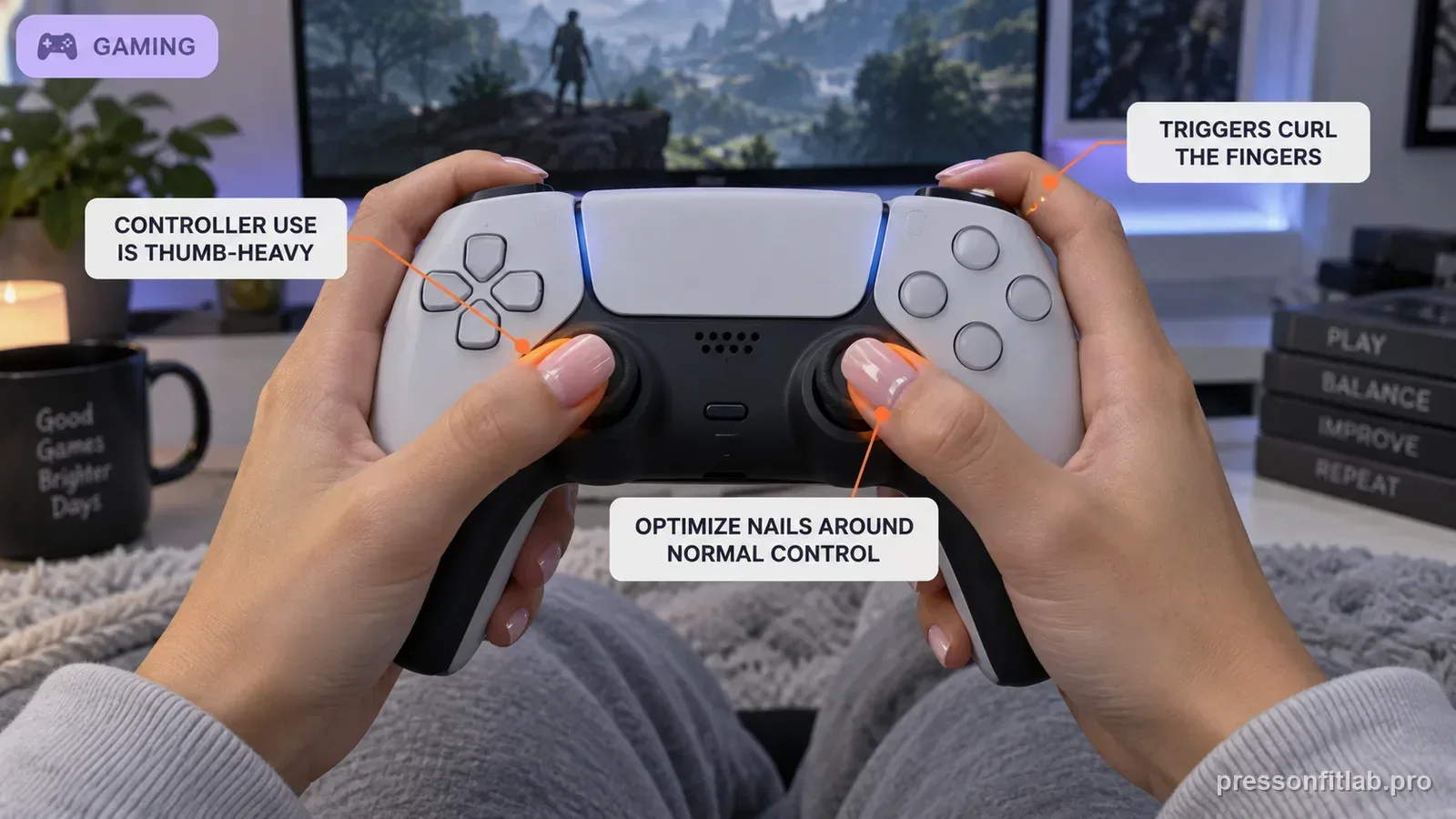
Gaming can stress press-ons differently from normal typing because controllers concentrate repeated work on thumbs and trigger fingers, while mouse use concentrates clicking on one index finger. Map which artificial edges physically contact buttons or hardware. If the same gaming fingers fail, shorten those nails first while leaving glue and prep unchanged.
Check these first
- ✓ Do thumbnails hit controller buttons, sticks, or rims before the thumb pad?
- ✓ Do index or middle nails contact triggers or the controller shell?
- ✓ Does a mouse index nail strike the button at an angle?
- ✓ Are failures concentrated on thumbs and index fingers?
- ✓ Does a shorter test nail survive the same sessions better?
Controller use is thumb-heavy
Sticks, face buttons, and directional controls can put far more repetition on thumbs than the other eight nails. A whole-set adhesive change is inefficient when the wear map is clearly thumb-specific.
Map the device by finger. On a controller, both thumbs may perform analog movement plus repeated button presses, while index and middle fingers curl around triggers. On mouse-and-keyboard, one index finger may click far more often than any typing finger. This distribution explains why a gaming failure pattern can look very different from an office-typing pattern.
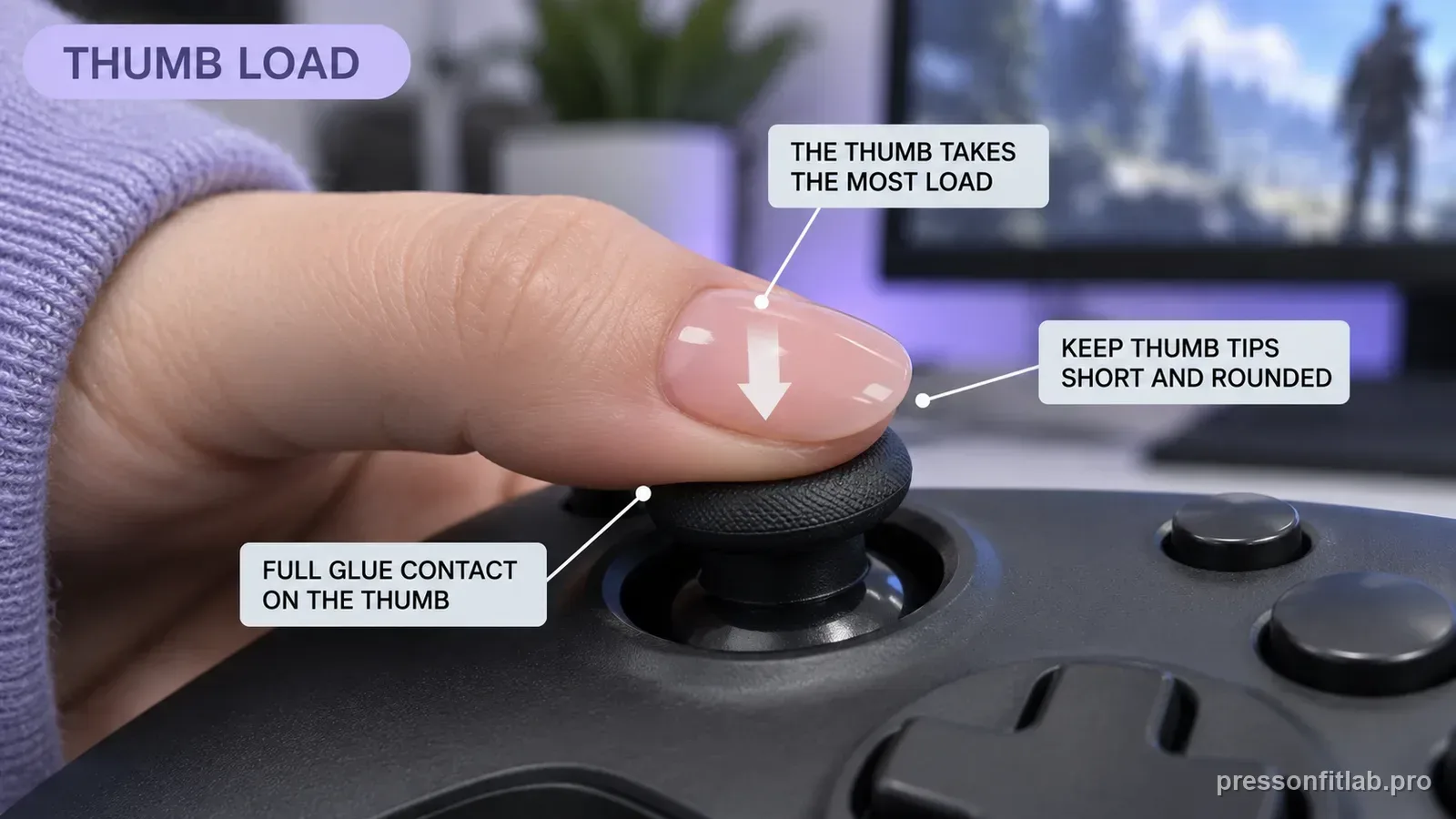
Triggers create curled-finger loading
Index or middle fingers may remain curled around triggers for long periods. If long free edges contact the controller body, every grip adjustment pushes against the shell.
Thumbstick rims are a common geometric test point. If a long thumbnail hits the stick rim before the thumb pad settles, rapid circular movement can push the artificial edge sideways. That repeated lateral load is exactly the kind that can open one sidewall while leaving the rest of the bond intact.
Mouse clicking differs from ordinary typing
A mouse can concentrate thousands of clicks on one index finger at a different angle from a keyboard. If the artificial edge reaches the button first, repetitive tip loading results.
For mouse use, watch whether the finger is arched high enough that the artificial tip becomes the first point of contact with the mouse button. Shortening or rounding that one nail can restore pad-first input without forcing a new grip that creates wrist or hand discomfort.
Mixed setups create multiple patterns
Players who switch between controller, mouse, and keyboard should note which device was used before a failure. Two different mechanical problems can otherwise be mislabeled as one gaming problem.
Controller heat should not be your first hypothesis. Direct mechanical contact is observable and reproducible, whereas ordinary device warmth rarely explains why the same thumb or index fails repeatedly. Follow the strongest evidence first: finger, contact point, lift location, and whether shortening changes the outcome.
Intense sessions reveal marginal fit
Fast repeated inputs can accelerate an already-open sidewall. Dry-fit high-use fingers again before deciding the device alone caused the failure.
Competitive or accessibility setups may require specific grip patterns, remapped buttons, or rapid inputs. Do not compromise those needs for nail wear. Adapt nail geometry to the device and the user. A manicure that reduces control accuracy or causes hand strain has failed the functional-fit test even if adhesion is excellent.
Optimize nails around normal control
Do not adopt an uncomfortable grip or reduced control range to protect the manicure. Shorten or reshape the press-ons so normal and accessible device use remains intact.
For mixed-device players, keep separate notes for controller and mouse sessions. If both thumbs fail after controller use but the right index alone fails after mouse-heavy sessions, you have two different activity signatures. One global ‘gaming nail’ rule would miss that distinction.
Diagnostic table
| What you see | What it suggests | Next check |
|---|---|---|
| Thumbs lift first on controller | Repeated stick/button loading | Shorten thumbs and check hardware contact |
| Mouse index lifts but keyboard fingers hold | Repeated angled mouse clicks | Shorten/round index free edge |
| Trigger fingers loosen | Controller body contacts curled long nails | Reduce length on those fingers |
| One sidewall open before session | Fit already marginal | Correct geometry first |
| No failures on non-gaming days | Activity-specific load plausible | Run shortened high-use-finger comparison |
A controlled test plan
- 1
With devices inactive, map every free-edge contact point.
- 2
Shorten one high-use finger only.
- 3
Keep glue, prep, and device setup unchanged.
- 4
Inspect immediately after the next normal session.
- 5
Repeat on the next highest-contact finger only if the first comparison is clear.
What not to do
- Changing grip in a way that hurts or reduces control
- Adding more glue to thumbs without checking contact
- Treating controller, mouse, and keyboard as one stress pattern
- Ignoring a poor dry fit on high-use fingers
- Continuing to play with a painful sharply lifted shell
Worked troubleshooting example
Tessa typed comfortably with medium nails but both thumbs popped during long controller sessions. The other eight nails stayed attached.
With the controller off, she noticed the thumbnails struck the analog-stick rims during fast movement. She shortened only the thumbs and kept glue and prep unchanged.
After the next gaming session neither thumb showed new lift, demonstrating why controller loading had to be treated separately from typing.
Field notes
Gaming often produces a recognizable failure map: both thumbs, one mouse index, or the fingers over triggers. That pattern is more actionable than total wear time.
A device-contact check takes less than a minute and often shows the artificial edge physically replacing the fingertip as the first contact point.
Frequently asked questions
What press-on length is best for gaming?
There is no universal length. It should be short enough to operate your required controls normally without repeated artificial-edge impact.
Why do controller thumbs pop while the rest stay on?
Thumbs often do far more direct movement and button/stick work than the other fingers.
Should I use stronger glue for gaming?
Only after fit and hardware contact are checked. Stronger adhesive does not eliminate repeated mechanical interference.
Sources checked
Sources below are page-specific. We prioritize manufacturer directions for product-specific steps and use medical or dermatology guidance when a safety question requires it. Always follow the instructions for the exact adhesive or set you own.